SNG Map Builder

Note: This plugin requires Sweep&Go Core plugin.
Installation:
Install and Activate the Sweep&Go Core Plugin
Navigate to WP Admin → Sweep&Go Core → Add-ons and install the SNG Map Builder.
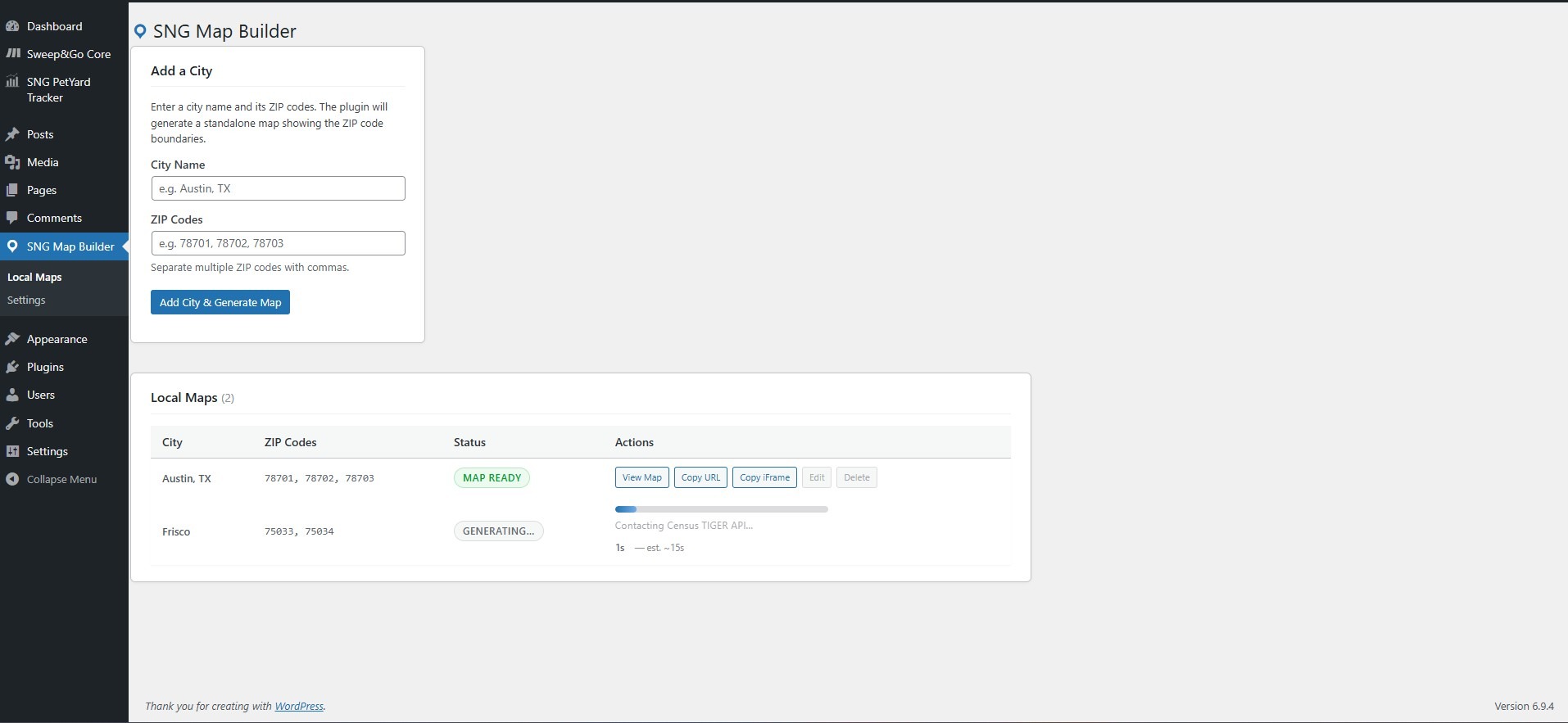
SNG Map Builder lets you instantly generate Google Maps overlays that highlight your service area ZIP code boundaries. Enter a city name, paste in your ZIP codes, and the plugin handles everything else: fetching boundary data, building the map, and giving you a URL or iFrame code you can drop anywhere on your site.
How it works
Add a city and its ZIP codes in the WordPress admin. The plugin pulls boundary data from the US Census Bureau TIGER API (free — no extra API costs) and renders shaded polygon overlays using the Google Maps JavaScript API. Your map is saved as a standalone file and is ready to be embedded the moment generation completes.
Key features
Instant generation - enter a city and ZIP codes, click generate, and your map is live in seconds
One-click embed - copy the direct URL or a ready-to-paste iFrame code with a single click
Edit & regenerate - update a city's name or ZIP codes at any time; the map rebuilds automatically
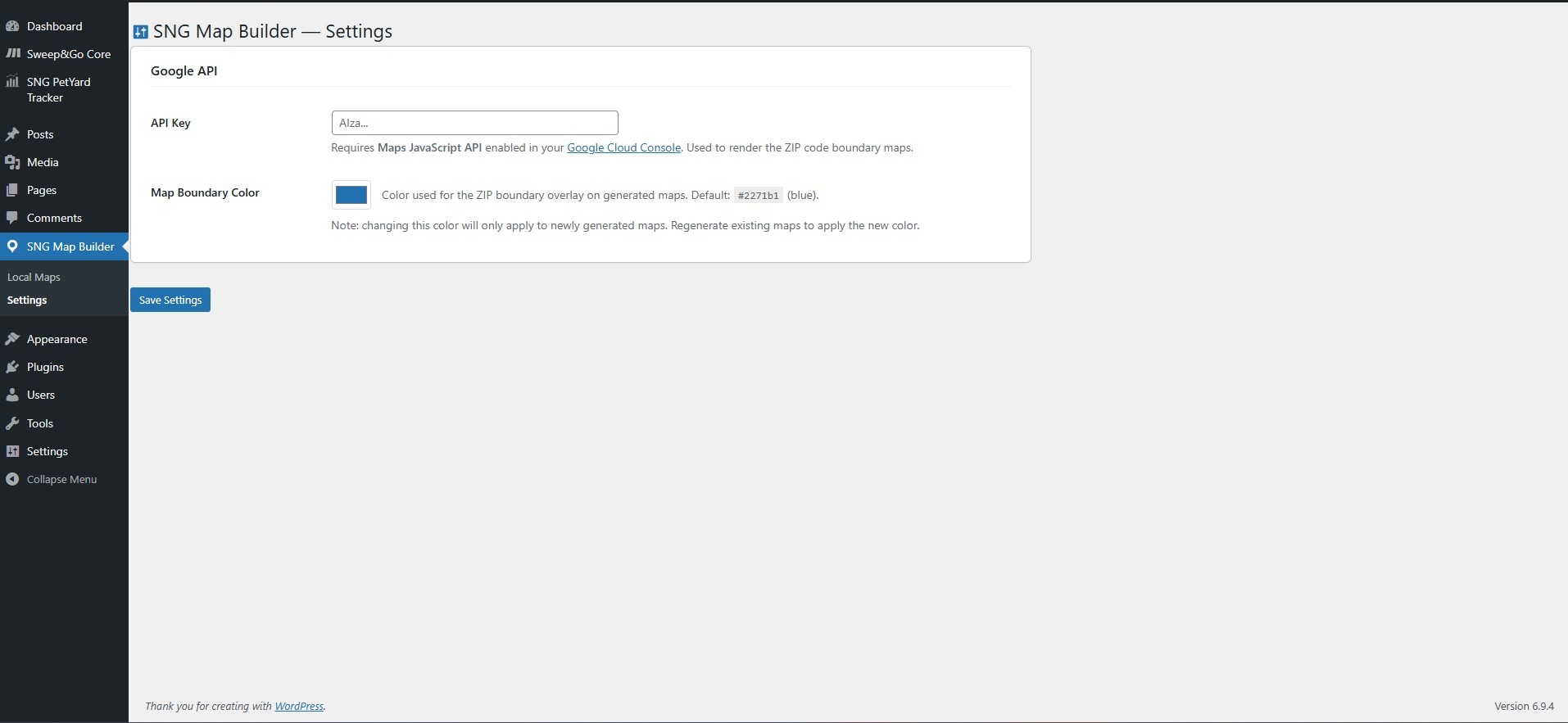
Custom boundary color - choose any hex color for the ZIP code overlay to match your brand
Cache-safe - regenerated maps always load fresh, no browser caching issues
Free boundary data - ZIP code boundaries are sourced from the US Census Bureau, so there are no additional data costs beyond your Google API key
Showcase your service areas with interactive, embeddable maps, no coding required.
Installation steps
Change log
test
$29.00 annually
Tax may apply
Version:
1.0.6
Last updated:
Jun 12, 2026
Requires:
6.0
Tested:
6.7